
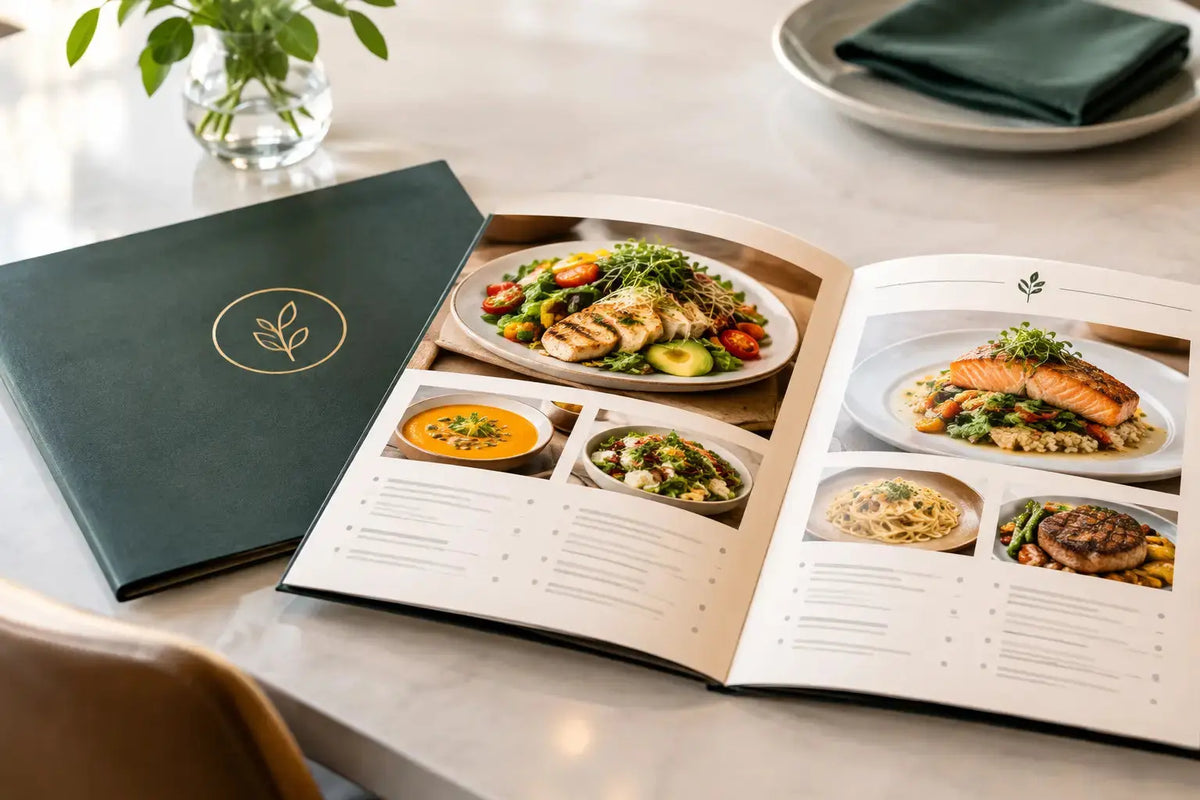
A menu is one of the few branded items customers hold, study, and use to make a buying decision. The right restaurant menu example does more than list dishes and prices: it makes choices easy, reflects the dining experience, and stands up to repeated handling during busy service.
For restaurants, cafés, hotel outlets, and catering businesses, menu printing should be treated as an operational and brand decision. Layout, paper stock, coating, binding, and size all affect how quickly guests order, how staff present the offering, and how polished the venue feels.
A Restaurant Menu Example Built for Service
Consider a modern casual dining restaurant with appetizers, salads, grills, pasta, desserts, and beverages. A practical format is an A4 folded menu, creating four panels: a front cover, two inside pages, and a back panel for drinks, promotions, or contact details.
The cover should carry the restaurant logo, a short positioning line, and a clean visual element that matches the interior or packaging. Inside, group dishes into clear sections with consistent typography. Place the category name first, followed by the dish name, a concise description, and the price aligned in one predictable position.
For example:
Grills
Charcoal Chicken Skewers
Marinated chicken, grilled vegetables, garlic sauce, and seasoned rice.
AED 42
Herb-Grilled Salmon
Atlantic salmon with roasted potatoes, lemon butter, and market vegetables.
AED 68
This structure works because guests can scan it quickly. The dish name catches attention, the description gives enough confidence to order, and the price remains easy to find without taking over the page. If your menu has dietary options, use small, clearly explained symbols for vegetarian, vegan, spicy, or gluten-aware items. Keep the legend visible and avoid cluttering every description with unnecessary detail.
A restaurant with a larger selection may need an A3 folded menu, a multi-page booklet, or separate food and beverage menus. The best choice depends on the number of items, service style, table size, and how often prices or dishes change.
Start With the Customer Journey, Not Decoration
A good menu layout follows the way customers read and decide. Start with the categories guests expect to see, then arrange them in the order that suits the meal. Breakfast menus, for instance, may lead with signature plates and hot drinks. A dinner menu may begin with starters, continue through mains, and reserve desserts and coffee for the final section.
Signature items deserve deliberate placement. Feature them in a highlighted box, use a small chef recommendation marker, or give them room in the layout. The goal is not to push every item equally. It is to direct attention toward dishes that represent the restaurant well and support your commercial goals.
There is a trade-off. Too many featured items dilute the effect, while a menu with no visual hierarchy can feel difficult to navigate. Limit emphasis to a few priority dishes per section. White space is useful here. It gives the eye a pause and makes pricing, descriptions, and sections easier to absorb.
Descriptions should be specific but controlled. “Fresh pasta with tomato sauce” is generic. “Penne with slow-cooked tomato sauce, basil, and parmesan” creates a clearer expectation without becoming overly long. Use the same voice throughout the menu. A premium steakhouse, neighborhood café, and fast-casual concept should not sound alike.
Choose a Menu Format That Fits Daily Use
The menu’s physical format affects both presentation and replacement planning. A one-page laminated menu can be efficient for quick-service venues, seasonal specials, kids’ menus, or high-volume cafés. It is easy to wipe down and simple to replace when a price or item changes.
For full-service restaurants, folded menus and bound booklets create more space and a more considered table presentation. Saddle-stitched booklets work well for menus with multiple sections, while screw-bound or insert-style menu covers can suit restaurants that update pages regularly. With an insert system, only the changed sheet needs replacement rather than the complete menu.
Material selection should match the environment. Matte laminated stock reduces glare under bright restaurant lighting and gives a refined feel. Gloss lamination can make food photography and rich colors more vivid, though it may show fingerprints more easily. Waterproof synthetic paper or durable laminated card is worth considering for poolside service, outdoor dining, and high-touch settings.
For a premium result, use a heavier cover stock and a lighter but substantial interior stock for booklets. For a single-sheet menu, a thicker card provides better handling and helps the piece retain its shape. Rounded corners can reduce wear at the edges, particularly on menus handled many times a day.
Make Brand Consistency Visible at the Table
A menu should look connected to the rest of the customer experience. Use the same logo treatment, color palette, and typography found on takeaway packaging, table tents, loyalty cards, staff uniforms, signage, and social media materials. Consistency makes a venue easier to recognize and more credible at every customer touchpoint.
Photography requires restraint. High-quality food images can support a casual or delivery-focused concept, but too many images make a menu crowded and can quickly date the design. Fine-dining concepts often rely on typography, paper texture, and generous spacing instead. Neither approach is automatically better. It depends on the restaurant’s audience, price point, and brand personality.
Color also has a practical role. Dark backgrounds can look premium, but they need strong contrast for readability. Small light text on a dark page may look elegant in a mockup yet become difficult to read in low light. Before approving a full print run, review a physical proof in the restaurant environment, especially under actual table lighting.
Details That Prevent Ordering Delays
The most attractive menu still needs to function during service. Prices should be easy to identify, modifiers should be clear, and add-ons should not require guests to search through multiple pages. If a dish includes a choice of side, sauce, or protein, present the options directly beneath it in a consistent format.
Allergen communication should be handled carefully. Use menu symbols only when they are accurate and supported by the kitchen’s processes. If cross-contact is possible, include an appropriate note and ensure the team can answer questions confidently. Menu wording must match what the kitchen can deliver consistently.
For multilingual venues, decide early whether you need bilingual copy on every page or separate menus by language. Bilingual menus can be efficient for international audiences but require more space and careful typography. Separate versions can be easier to read, particularly for detailed menus, but they require stronger version control whenever an item changes.
QR codes can support the printed menu rather than replace it entirely. They are useful for live specials, nutritional details, allergy information, multiple language versions, or ordering systems. Keep the printed menu complete enough for customers who prefer a physical format. A QR code should be an added convenience, not an obstacle to ordering.
Prepare Files for Reliable Menu Printing
Before production, confirm the final menu size, fold type, page count, finishing, and quantity. These choices affect artwork setup. Images should be high resolution, logos should be supplied in suitable vector or print-ready formats, and colors should be reviewed for print rather than screen appearance.
Build in a bleed area around the edges if color or images run to the trim line. Keep important text away from folds, holes, corners, and trimming margins. For folded menus, check that panel widths are correctly planned. A standard fold is not always equal on every panel, especially when one panel needs to tuck inside another.
Proofreading deserves a dedicated approval step. Check item names, descriptions, prices, dietary marks, phone numbers, and social handles. Ask the chef, operations lead, and manager to review the content before printing. A menu is both a sales tool and a working document, so accuracy protects the customer experience as much as the brand.
For Dubai restaurants managing opening launches, seasonal campaigns, or updated concepts, Printava can support custom menu printing alongside matching packaging, table displays, labels, and branded service materials. Coordinating these items in one production plan helps keep the visual standard consistent across the venue.
A menu earns its value when it helps a guest decide with confidence and helps your team serve without friction. Choose a format that fits your operation, invest in materials suited to daily handling, and make every page look as considered as the food it presents. Get a quote today when your next menu update needs professional execution.